 By Editorial Team
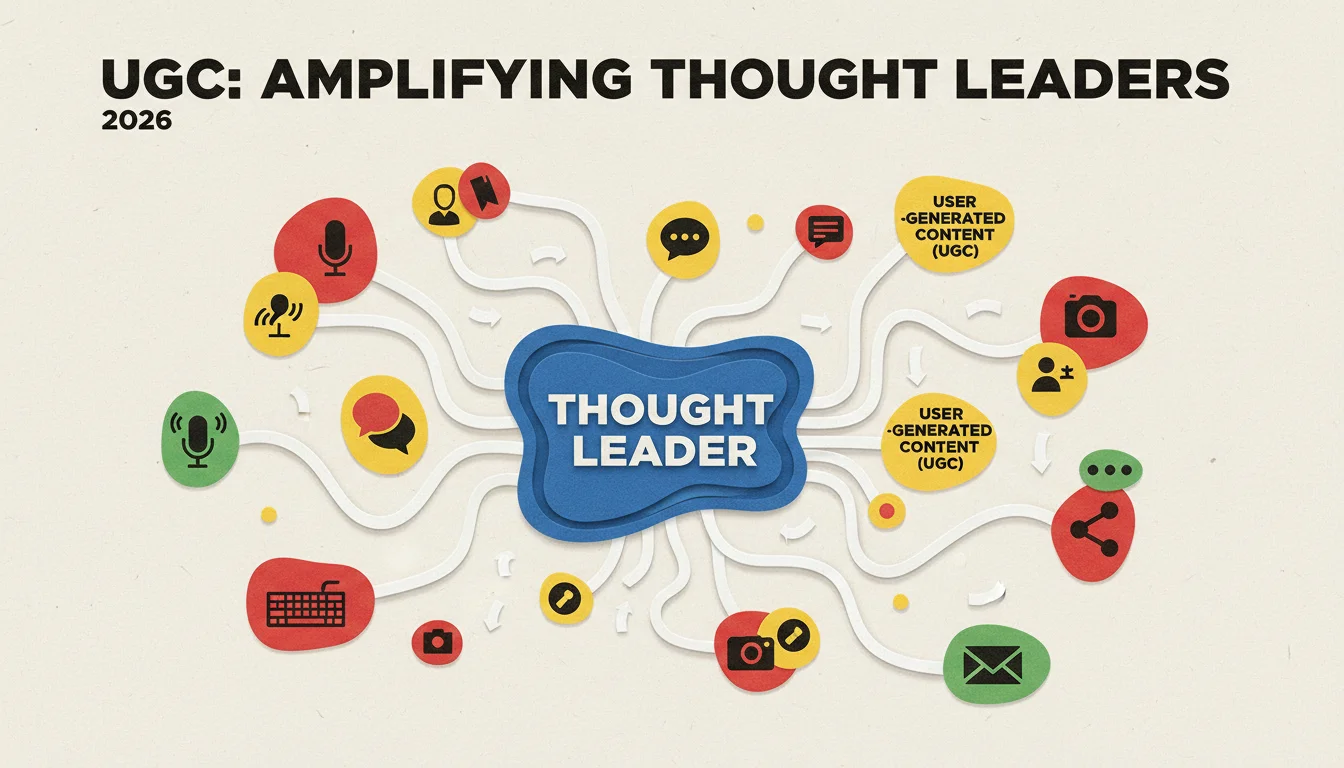
For thought leaders, User-Generated Content (UGC) is the clearest sign your ideas have an impact. It’s proof that people are listening and engaging. When you strategically use content from your audience, you’re not just adding a testimonial. You’re showing your concepts in action, which is what builds real influence and gets people to pay attention.
Key Takeaways
- Build a dedicated portal for collecting UGC using a platform like Stackla, making sure your custom forms and direct upload links include rock-solid consent mechanisms.
- Set up an automated moderation workflow that uses keyword filters, image recognition, and sentiment analysis to catch problems before a human ever has to see them, protecting your brand and ensuring quality.
- Weave your best curated UGC directly into blog posts and social campaigns by using the embed codes and API connections from your platform for a dynamic, always-fresh display.
- Use the analytics dashboard in your platform to track what matters: engagement rates, conversions from people interacting with UGC, and audience growth from those specific campaigns.
- Look at the UGC performance data regularly to figure out which content formats and which contributors are resonating most, then use that intel to shape your next content plan and community efforts.
Setting Up Your UGC Collection Infrastructure
If you want quality UGC from your audience, you have to build a proper system for it. Just asking for it won’t work. You need a dedicated, compliant channel that makes it easy for people to submit their best stuff. We’ll focus on how this works in platforms like Yotpo or Stackla, assuming their 2026 feature sets are in place.
1. Designating Collection Channels
First, you have to decide *how* you’ll get the content. Most platforms give you a few options. In Yotpo, you’d go to Collect & Manage > UGC Sources and see choices like “Direct Upload Portal,” “Social Hashtag Monitoring,” and “Email Submissions.” For the kind of in-depth content a thought leader wants, a direct upload portal is usually the best bet for getting structured, high-quality submissions.
- Create a Direct Upload Portal: Click Direct Upload Portal > Create New Portal. Give it a straightforward name like “Thought Leader Insights Submission.”
- Customize Submission Form: Now head to the “Form Fields” tab in the portal settings. This is where you can tailor the submission to your needs. Go beyond just “Name” and “Email.” Add a “Topic of Expertise” dropdown, a “Contribution Type” selector (like “Short Essay,” “Video Testimonial,” “Infographic”), and a “Link to Your Work/Profile” field. These details provide important context about the submission and the person behind it.
- Configure Legal & Consent: This part is absolutely critical. In the “Legal & Terms” tab, you must have a consent checkbox where users agree to your UGC Terms of Service. That document needs to spell out exactly how you’ll use, attribute, and store their content. Most platforms offer templates, but get your own lawyer to review it. Getting this wrong can create huge headaches, especially when dealing with personal data.
Pro Tip: Give people a reason to submit. It doesn’t have to be cash. Public recognition, a feature in a report, or even a small digital download can be enough. People will make an effort if they see a clear benefit for themselves.
2. Integrating Social Hashtag Monitoring
Direct uploads are great, but social media is where the spontaneous and authentic stuff lives. To capture it, you can use a tool like Stackla. Go to Sources > Add Source > Social Networks to connect your accounts on LinkedIn, X (formerly Twitter), or even private professional groups that have an API.
- Define Hashtags and Keywords: Once connected, list the hashtags people might use when talking about you or your work, like #FutureOfAI, #LeadershipInsights, or #[YourName]Community. Also think beyond hashtags and include keywords that might pop up in posts discussing your ideas, even if they don’t tag you.
- Set Up Geographic Filters (Optional): If your work is focused on a specific region, use geographic filters to cut through the noise. This is great for tracking feedback from local events or analyzing commentary from a certain market.
- Establish Moderation Rules: No content should ever go live without review. Start by setting up automated rules in Moderation > Rules Engine. You can, for instance, auto-reject posts with profanity or competitor names, or images flagged by the platform’s visual AI. But remember to have a human review anything the AI flags as questionable, context is everything, and the machines still get it wrong.
Common Mistake: Making your automated filters too aggressive. You need guardrails for brand safety, but overly strict rules can block genuine, positive UGC from ever reaching you. Start with broader rules and tighten them up once you see what kind of content your audience is actually posting.
Moderation and Curation Workflow
As soon as UGC starts coming in, you need a solid process for moderating and curating it. This is what keeps the content you use high-quality, relevant, and legally compliant.
1. Implementing Automated and Manual Moderation
Your UGC platform’s dashboard is your command center for this. In Yotpo, you’ll find it under Collect & Manage > Content Moderation.
- Automated Pre-screening: Set up rules to automatically approve content that’s clearly good (uses the right keywords, has a positive sentiment score) and reject content that’s clearly bad (spam, profanity). This initial pass clears the easy stuff off your plate so the team can focus on submissions that need a real look.
- Human Review Queues: Anything that’s not auto-approved or rejected should fall into queues for a person to review. Set up different queues like “Pending Approval,” “Needs Attribution Clarification,” or “Flagged for Policy Review,” and assign team members to each. A recent eMarketer report found that 72% of top brands use this kind of hybrid model, blending AI screening with human judgment.
- Sentiment Analysis Integration: Platforms like Stackla have built-in sentiment analysis. Go to Moderation > Sentiment Settings to tweak how the system rates posts as positive, neutral, or negative. Any content that gets flagged as negative can be sent to a specific queue for someone to handle immediately, letting you get ahead of problems and protect your reputation.
Expected Outcome: You end up with a clean, high-quality feed of UGC that’s ready to use, while problematic content is either removed or handled quickly and quietly.
2. Curating and Tagging Content
Once something is approved, it needs to be organized so you can find it later. In Stackla, you’ll do this with “Tags” and “Collections.”
- Create Thematic Tags: Build a tagging system and stick to it. Your tags might include content types like “Video Interview” or “Client Testimonial,” or specific topics in your field like “AI Ethics” or “Sustainable Finance.” The more granular your tags, the easier it is to find exactly what you need for a specific blog post or presentation.
- Build Curated Collections: Group tagged UGC into collections. For example, you could create a collection called “Q1 2026 AI Perspectives” or “Leadership Summit Highlights.” These pre-made collections are what you’ll embed on your website or use in campaigns.
- Add Internal Notes: Most platforms let you add private notes to each piece of content. Use this to jot down contributor background info, ideas for how to use the piece, or any other context your team might need. It’s incredibly helpful when more than one person is managing the content.
Pro Tip: Revisit your tagging system every few months. Your focus will evolve, and your content library’s organization should evolve with it. A well-organized UGC library is a massive long-term asset.
Integrating UGC into Your Thought Leadership Content
Collecting and organizing UGC is just the setup. The real payoff comes when you start weaving it into your own content and outreach.
1. Dynamic Display on Web Properties
This is what those curated collections are for. Most UGC platforms give you embed codes that make it easy to show off your UGC.
- Embed Widgets: In Yotpo, for example, you can go to Display > Widgets and build a “Carousel Display,” “Grid Gallery,” or “Review Feed.” You just pick the collection you want to feature, tweak the colors and fonts to match your site, and copy the JavaScript or HTML code. Paste that code into your blog, on a landing page, or in a dedicated “Community Insights” section of your site.
- API Integration for Custom Experiences: If you need more control than a widget offers, you can use the platform’s API (Application Programming Interface). This lets your developer pull UGC data directly and display it in a completely custom way, or even integrate it with your CRM for personalized marketing. Check the Yotpo Developer Documentation to see the endpoints and authentication needed.
- Attribution Display: Make sure you’re clearly crediting the creator of every piece of UGC you display. This gives them their due and also makes the content feel more authentic. The widget settings will almost always have options to show the contributor’s name, social handle, and a profile link.
Common Mistake: Just dropping a gallery of quotes on a page with no setup. It won’t have much impact. You need to introduce the UGC and explain why it matters. Frame it with something like, “Our community has had some powerful things to say about the future of AI ethics. Here are a few of their key insights.”
2. Amplifying Through Social Media Campaigns
A lot of your UGC will start on social media, so it only makes sense to use it there again to get more reach.
- Schedule UGC-Centric Posts: Use your social media scheduler (like Hootsuite or Buffer) to plan out posts that feature a great quote, video clip, or infographic from your community. Always, always tag the original creator.
- Create Themed Campaigns: Don’t just post one-offs. Build a small campaign around a theme, like “Community Voices on [Your Topic],” and feature a different piece of UGC every day for a week. This creates momentum and encourages others to chime in.
- Run Paid Promotions with High-Performing UGC: Find the UGC that’s already getting good organic engagement, lots of likes, shares, and comments. Then, use those posts as the creative for your paid social campaigns. A 2026 IAB report found that ads using authentic UGC can get double the click-through rate of standard brand-created ads.
Expected Outcome: You’ll see higher engagement and a wider reach for your ideas, all reinforced by the credibility that comes from genuine audience contributions.
Measuring and Iterating on Your UGC Strategy
The last step, and the one people always forget, is to analyze your results and refine what you’re doing. You have to measure your efforts to improve them, especially with UGC.
1. Tracking Key Performance Indicators (KPIs)
The analytics dashboard in your UGC platform is your best friend here. In Yotpo or Stackla, find the “Analytics” or “Reporting” section and start digging in.
- Engagement Metrics: Look at clicks on your UGC widgets, how long people are spending looking at it, and how many shares and comments it’s getting. These numbers tell you if the content is actually connecting with your audience.
- Conversion Metrics: If you have UGC on pages with a call to action, you need to track if it’s helping. Are people who see the UGC more likely to sign up for your newsletter or download your report? A/B testing can give you a clear answer here.
- Audience Growth: Keep an eye on your social follower counts and website traffic when you’re running UGC campaigns. While it’s hard to draw a straight line, a steady upward trend suggests your UGC efforts are helping expand your audience.
- Contributor Activity: How many people are submitting content? How many are repeat contributors? A high rate of repeat submissions is a fantastic sign that you’ve built a strong, engaged community around your work.
Editorial Aside: Forget vanity metrics. A million views on a UGC video mean nothing if it doesn’t lead to a single meaningful action. A piece with only 10,000 views that convinces 5% of them to subscribe to your newsletter is far more valuable. Focus on the metrics that actually line up with your goals.
2. Iterating Based on Insights
Looking at data is pointless if you don’t act on it. Use what you learn to make your UGC strategy smarter.
- Identify Top-Performing Content: Figure out which formats (video, text, images) and topics get the most engagement, then do more of that. If video testimonials are killing it, run a campaign asking for more of them.
- Recognize Key Contributors: Find the people who consistently submit great content. These are your best advocates. Reach out to them, thank them, and maybe even offer to collaborate or feature their work more prominently.
- Refine Collection Methods: Is one of your submission channels a ghost town? Figure out why. Is the form too long? Is the incentive weak? Tweak your calls to action, your forms, and your social listening to see if you can get it working.
- Update Content Guidelines: As you moderate content, you’ll inevitably find gray areas or loopholes in your submission guidelines. Go back and update the public-facing rules to make them clearer and more consistent.
When you continuously measure and refine, your UGC strategy stops being a task and becomes a self-optimizing engine for building influence. It’s a dynamic process, not a one-and-done setup.
Putting UGC to work is a deliberate process. It’s about moving from passively collecting content to actively integrating it into your work and analyzing the results. Thought leaders who get this right build much stronger communities and add an unmatched layer of credibility to their message. For more on this, check out how thought leader events can play a role in amplification.
What’s the most effective type of UGC for a thought leader?
For thought leaders, the best UGC usually involves testimonials, in-depth case studies, and especially audience-generated content that builds on or applies your core ideas in a new way. Short, authentic video clips also work incredibly well because they’re so engaging and feel personal.
How do I make sure I’m legally compliant when collecting UGC?
You absolutely must get explicit consent. The best way is through a clear “Terms of Service” that users agree to with a checkbox during submission. That agreement needs to explain how you’ll use, store, and credit their content. While platforms like Yotpo and Stackla have tools for this, you still need your lawyer to review your specific terms.
Can I really use UGC from places like LinkedIn or X?
Yes, you can pull in UGC from networks like LinkedIn or X by setting up monitors for hashtags, keywords, or mentions of your name. The key is to get permission, either by relying on the platform’s terms for public posts or, even better, by sending a quick message and asking the creator directly. Most UGC platforms have integrations that make this collection and moderation process much easier.
How often do I need to moderate UGC submissions?
It really depends on how much content you’re getting. If you have an active community, you’ll probably need to check the moderation queue daily to keep things flowing and quickly address any problems. Your automated rules will catch a lot, but you need a person to regularly review anything the AI flags as ambiguous.
What’s the best way to give credit for UGC?
Always attribute! The best practice is to display the contributor’s name or social handle right next to their content, link back to their original post or profile if you can (and they’ve agreed to it), and give them a public thank you when you share it. Giving clear credit is not only fair, it also reinforces the authenticity of the content and encourages more people to contribute.


