 By Editorial Team
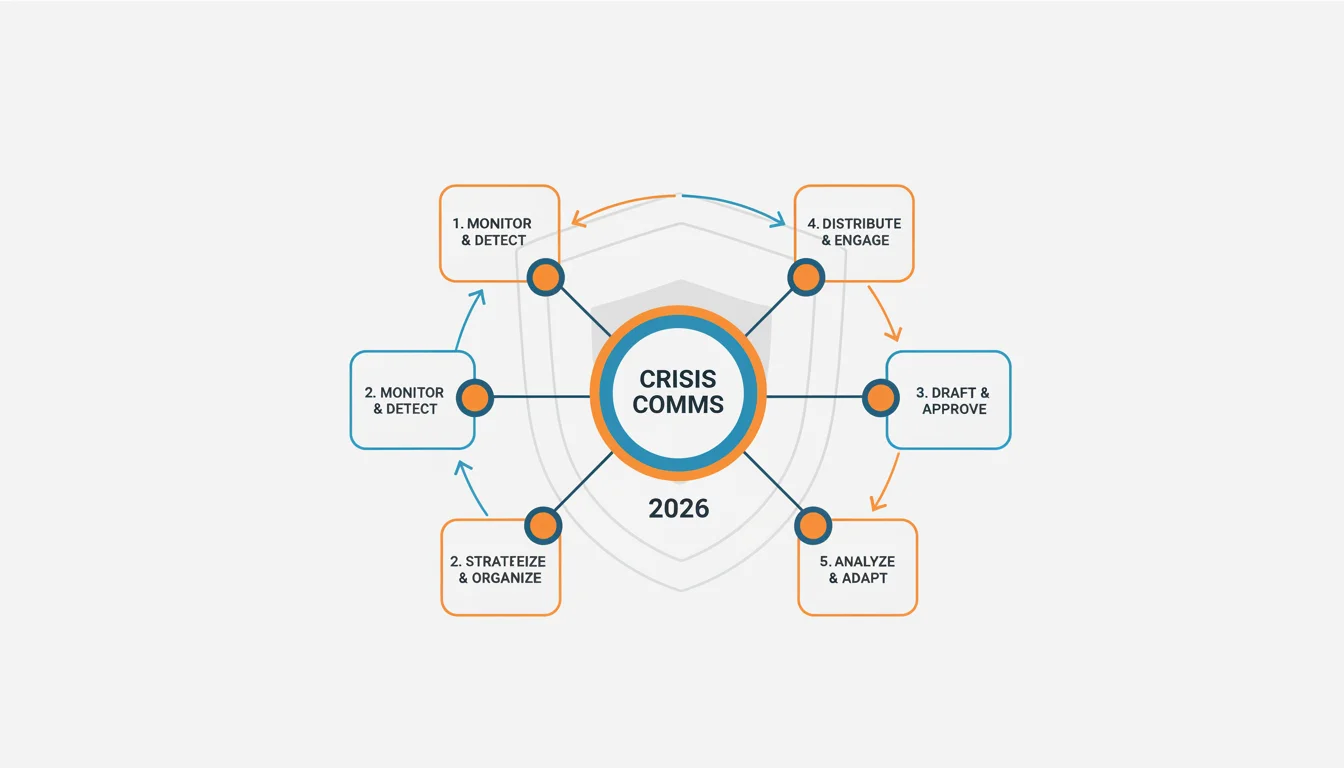
A simple reactive statement won’t cut it when you’re in a brand crisis. You need a structured, proactive plan and the right tools because the digital world moves too fast. A small problem can explode into a worldwide incident in a few hours, which makes solid crisis communication a core skill for any marketer. So how do you make sure your response is both fast and smart?
Key Takeaways
- Get a real social listening tool running to track mentions on 20+ platforms so you can spot trouble early.
- Use one dashboard to write and schedule posts for your 5-7 main social channels all at once.
- Have internal protocols ready to activate your crisis team within 15 minutes of getting a critical alert.
- Track public perception with AI sentiment analysis, comparing live data to your historical benchmarks to see what’s changed.
- Run a post-crisis review within 72 hours, using built-in reporting to see what worked and what needs fixing for next time.
Setting Up Your Digital Crisis Monitoring System
A strong monitoring system is your first defense in a digital crisis. If you don’t know what people are saying about your brand, where they’re saying it, and who they are, you’re just guessing with your response. This is why I always tell people to get a dedicated social listening platform. The generic media monitoring tools just don’t catch the specific details of online chatter.
Choosing and Configuring a Social Listening Platform
You need a platform with full coverage, not just the big social networks. Sure, Brandwatch and Sprinklr are the top dogs in 2026, but make sure whatever you pick can also crawl the forums, review sites, and weird little community platforms where your customers actually hang out. We’ll use the Brandwatch interface for this walkthrough.
- Access the Dashboard: Log into Brandwatch. Find “Projects” on the left-hand nav and click into your main brand project.
- Define Queries: Head to “Queries” in your project. This is where you tell the platform what keywords to look for. You have to include your brand name (plus common typos), product names, C-suite names, and key industry terms. Use Boolean operators (AND, OR, NOT) to be precise, like this:
"YourBrandName" OR "Your Brand Name" OR "YourProductX" NOT "competitorY". - Set Up Categories: Now go to “Categories.” Make buckets like “Positive Sentiment,” “Negative Sentiment,” “Crisis Keywords,” and “Customer Service Issues.” Then you create rules to automatically sort mentions into them. For example, a rule could state that any mention with “YourBrandName” AND (“problem” OR “issue” OR “failure”) gets automatically sent to the “Crisis Keywords” category.
- Configure Alerts: Go to “Alerts.” This part is absolutely critical. You need to set up real-time email and Slack notifications for any sudden spike in negative sentiment or any mention that contains your “Crisis Keywords.” Set a specific threshold, maybe a 200% jump in negative mentions in a 30-minute window, to trigger an immediate alert to your crisis comms team. Put their specific email addresses and the Slack channel ID right in the alert settings.
Pro Tip: Your queries aren’t set-it-and-forget-it. You have to keep refining them. Online slang changes, new products launch, and a query that was perfect last quarter could be useless now. The biggest mistake I see is setting up queries that are way too broad. You just get a firehose of noise and everyone starts ignoring the alerts. Be specific. When you do it right, you’ll have a constant, clean feed of brand mentions that are already categorized, with alerts firing only when something actually hits your thresholds, a real early warning system.
Activating Your Crisis Communication Protocol
When that alert hits, the clock is ticking. You need swift, coordinated action. This is not the time for a committee debate. Your established protocol is what you follow now.
Initiating the Crisis Response Workflow in a Unified Communication Platform
Using a single communication dashboard like Sprout Social or Hootsuite is the only way to keep your messaging centralized and under control. We’ll use Sprout Social’s platform for this example.
- Access the Smart Inbox: In your Sprout Social dashboard, get into the “Smart Inbox.” Apply a filter for “Crisis Keywords” or whatever tag your monitoring tool sent over with the alert.
- Assign and Prioritize: Click on a critical mention to see the details. In the right-hand panel, use “Assign to Team Member” to give it to the designated crisis lead and set the priority to “Urgent.” This creates clear ownership and stops two people from responding to the same thing.
- Initiate Internal Discussion: Inside that same message view, use the “Internal Notes” to talk to your team. You can tag people with
@usernameto pull them into the conversation instantly. Share what you know, what you think the response should be, and any confirmed facts. - Draft and Approve Response Templates: Go to “Saved Replies” under the “Publishing” tab. Every crisis is different, but having pre-approved templates for just acknowledging an issue (“we’re aware and investigating”) or pointing people to an official statement saves precious minutes. You’ll draft a specific response for the current situation, but these templates are a lifesaver.
Pro Tip: Keep a pre-approved contact list of stakeholders (legal, leadership, external PR) who must be looped in. A rookie mistake is writing a response in a vacuum without getting the right eyes on it. Legal and senior management have to vet everything before it goes out. The result should be a fast, coordinated internal scramble that assigns ownership to incoming messages and makes the approval process for anything public as simple as possible.
Crafting and Deploying Your Digital Response
The words you choose now will either salvage your brand’s reputation or pour fuel on the fire. You absolutely have to be transparent, empathetic, and clear.
Executing Multi-Channel Communication with Sprout Social
Communicating effectively online means knowing how each platform works and what its users expect. For example, how an executive communicates on LinkedIn is a skill in itself, even when there isn’t a crisis. Our guide on using LinkedIn AI to boost an executive’s presence is a good resource for getting that messaging right.
- Select Publishing Channels: From the response you drafted in Sprout Social’s Smart Inbox or from the main “Compose” window, pick the social profiles you need to post to. Usually this means your main corporate accounts on LinkedIn, Meta’s platforms (Facebook, Instagram), and wherever else the bad news is spreading. Don’t just blast it everywhere. Go where the conversation is happening.
- Tailor Messages for Each Platform: Keep the core message the same, but change the tone and format for each network. Your LinkedIn post can be longer and more formal. Your Instagram story might just be a quick, empathetic video with a “link in bio” to your full press release. You have to work within the platform’s constraints.
- Schedule or Publish Immediately: Depending on how fast things are moving and if you have final approval, either hit “Publish Now” or “Schedule Post.” In a real crisis, it’s almost always “Publish Now” the second you get the green light. Then you have to watch the replies to that post like a hawk.
- Engage and Monitor Replies: Get back in the Smart Inbox and filter it to show only replies to your crisis posts. Answer specific questions when you can, and direct people to your official statement or support lines. Don’t get dragged into long, drawn-out arguments.
Pro Tip: Don’t ever delete negative comments unless they’re pure hate speech or break the platform’s rules. Nothing fuels accusations of a cover-up faster than hitting the delete button. Acknowledge the comment, address the issue if you can, and move the conversation forward. The other big mistake is dropping one statement and then going completely dark. A crisis is a dialogue, not a monologue. The goal here is to put out consistent, fast, and empathetic messages on the right channels, proving that you’re taking the problem seriously and being open about it.
Analyzing and Learning from the Crisis
The crisis isn’t over just because the fire is out. You’re not done until you’ve gone back, analyzed your team’s performance, and figured out what you can learn for next time. This is how you strengthen your preparedness for the future.
Post-Crisis Review in Brandwatch and Sprout Social
- Generate Sentiment Reports (Brandwatch): Inside Brandwatch, go to “Analytics” and pull up “Sentiment Analysis.” You’ll want to run a report that compares sentiment during the crisis to a pre-crisis baseline period. This will show you exactly how negative mentions shifted, what the main complaints were, and the overall volume of chatter. Export it.
- Review Engagement Metrics (Sprout Social): In Sprout Social, open up “Reports” and then “Post Performance.” Dig into the reach, engagement, and sentiment of the specific posts you made during the crisis. Which messages actually worked? Which ones caused more confusion or anger?
- Conduct a Team Debrief: Get your crisis team, lawyers, and any involved execs in a room (or on a call). Walk through the entire timeline: how the alerts worked, how fast you responded, whether the responses were right, and where internal communication fell apart. Write it all down.
- Update Crisis Playbook: Use what you learned in the debrief to immediately revise your crisis comms playbook. That means updating contact lists, tweaking response templates, adjusting your monitoring queries, and adding any new procedures for things you didn’t anticipate, like dealing with influencer backlash or a targeted misinformation campaign.
Pro Tip: When you’re debriefing, don’t just fixate on what went wrong. Make sure you also identify what your team did right, the quick thinking, the effective responses. Celebrating those wins reinforces what good looks like. A huge mistake is just skipping the debrief entirely because everyone’s exhausted and wants to move on. If you don’t do a structured review, you’re doomed to make the same mistakes all over again. What you should get from this is a full picture of how effective your response was, a list of concrete actions to improve your protocols, and a much more resilient crisis strategy for the next time it happens (and it will happen).
Handling a crisis communication situation online depends on being prepared, using your tools correctly, and always looking for ways to get better. By meshing good monitoring with a quick response plan, a brand can get through a digital storm and sometimes even come out looking stronger by showing it has integrity. For marketers who want to see how AI is changing the bigger picture, our articles on the CMOs’ 2026 AI brand strategy imperative and using AI for brand sentiment analysis are good places to start.
Ideal response time for a digital crisis:
The benchmark for a first, public acknowledgment is 30 to 60 minutes after you’ve detected the issue. A full, detailed response will take longer, of course, but that quick first post shows you’re aware and on it.
Engaging with every negative comment:
No. It’s a bad idea and a waste of time. Focus on correcting factual errors, helping people with real problems, and pointing everyone else to your official statement. Don’t get in arguments with trolls.
How often to update crisis plans:
You need to review and update your plan at least once a year. You also need to update it immediately after any big company change (like a merger) or after you’ve gone through a crisis. The tech, platforms, and threats change so fast you have to keep it current.
AI’s role in 2026 crisis comms:
In 2026, AI is a massive help. It gives us better sentiment analysis in our social listening, spots weird trends and misinformation campaigns as they start, and can even draft initial responses for a human to review and send. It’s all about speed.
One tool or multiple tools?
An all-in-one platform sounds convenient, but in practice, using a combo of specialized tools, like Brandwatch specifically for monitoring and Sprout Social for publishing, gives you a much stronger and more flexible setup. The most important thing is that the tools work together and your team actually knows how to use them under pressure.


