 By Angelica Taylor
Key Takeaways
- Configure data ingestion pipelines in your customer data platform (CDP) to consolidate policyholder interactions from all touchpoints, achieving a 360-degree view.
- Design and implement dynamic segmentation strategies within your marketing automation platform, targeting micro-segments based on policy type, lifecycle stage, and behavioral data.
- Use A/B testing frameworks in your email service provider to continuously refine messaging and offer personalization, aiming for a 15% increase in engagement metrics.
- Integrate AI-powered recommendation engines into your website and mobile applications to suggest relevant policy enhancements or services, improving cross-sell opportunities by 10%.
- Establish real-time feedback loops using survey tools and sentiment analysis to adapt personalization efforts based on immediate policyholder responses.
Insurance CX personalization is no longer a luxury. It is a fundamental expectation for policyholders in 2026, driving loyalty and retention through tailored experiences. How can marketing teams effectively implement strong personalization strategies using current technology?
Step 1: Unifying Policyholder Data in a Customer Data Platform (CDP)
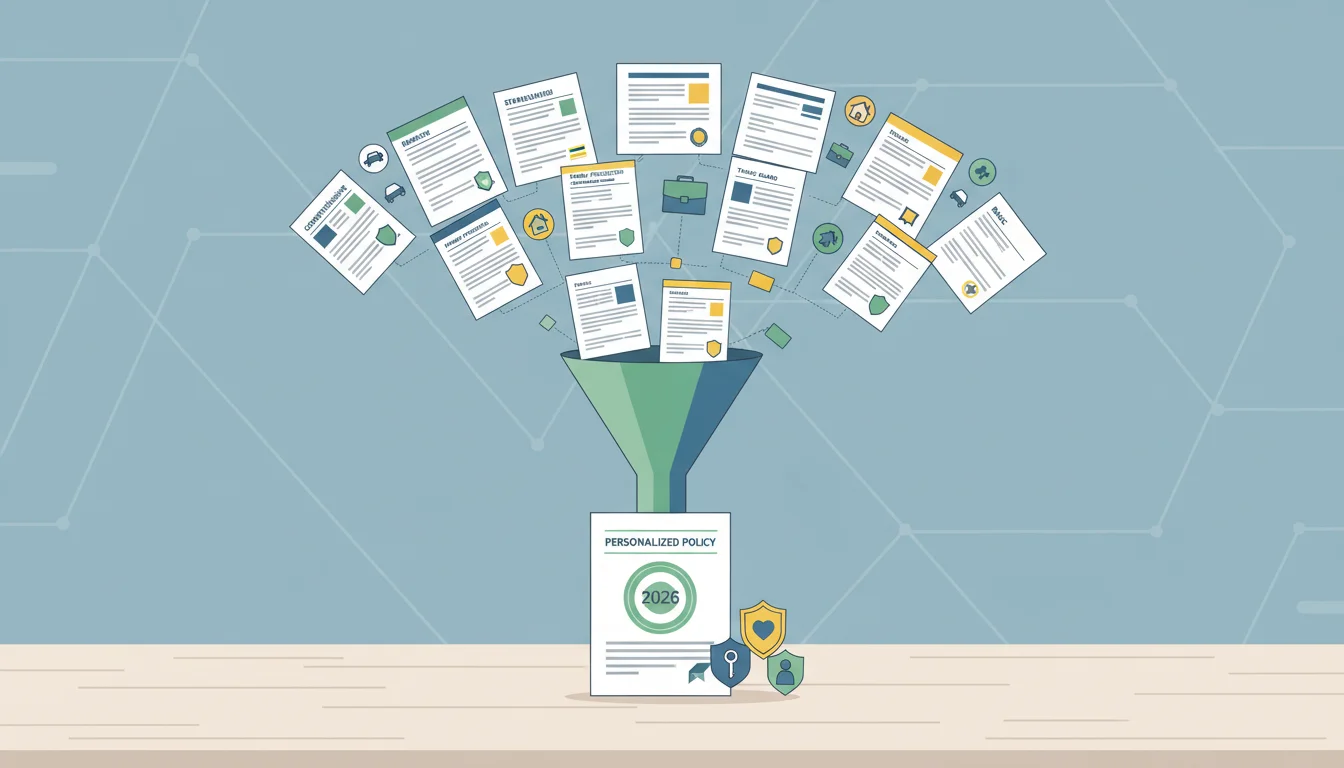
The foundation of any successful personalization effort in insurance CX lies in a consolidated, real-time view of each policyholder. Without a complete understanding of their interactions, preferences, and behaviors, personalization remains superficial. This step focuses on configuring a modern CDP to ingest and harmonize data from disparate sources.
1.1. Configuring Data Ingestion Pipelines
Begin by establishing secure connections between your CDP and all relevant data sources. This includes your core policy administration system, claims management platform, customer relationship management (CRM) software, website analytics, mobile app usage data, and even call center interaction logs. For instance, in a platform like Segment (a popular CDP), you would navigate to Sources > Add Source.
- Select Source Type: Choose the appropriate connector for each system. For a custom-built policy system, you might opt for a “Warehouse” source to pull data from your enterprise data warehouse, or use the “HTTP API” for real-time event streaming.
- Configure Connection Details: Input API keys, database credentials, or webhook URLs as required. Ensure all connections are encrypted using industry-standard protocols.
- Map Data Schemas: This is a critical sub-step. Within Segment’s interface, go to Schema > Tracked Events and Schema > Identify Traits. Here, you define how data points from different systems map to a unified profile. For example, a “Policy ID” from the administration system and a “Customer ID” from the CRM must map to a single, consistent identifier within the CDP. Ignoring this mapping leads to fragmented profiles and makes true personalization impossible.
- Set Ingestion Frequency: For high-volume transactional data like claims, configure near real-time ingestion. For static profile data, a daily or weekly sync might suffice. You can adjust these settings under Source > Settings > Sync Schedule.
Pro Tip: Don’t just ingest everything. Work with your data governance team to identify personally identifiable information (PII) and ensure proper anonymization or pseudonymization where necessary, especially for sensitive health or financial data. A recent IAB report emphasizes the increasing importance of data privacy in marketing, particularly with evolving regulations.
Common Mistake: Overlooking data quality at the ingestion stage. Inconsistent data formats, missing values, or duplicate records will propagate through your entire personalization strategy. Implement data validation rules directly within the CDP’s ingestion pipelines to flag and potentially quarantine problematic data before it contaminates customer profiles.
Expected Outcome: A unified, 360-degree view of each policyholder, accessible through a single interface. This consolidated profile should include demographic data, policy details (type, coverage, renewal dates), interaction history (website visits, app usage, call transcripts), claims history, and communication preferences.
Step 2: Developing Dynamic Segmentation Strategies
With unified data, the next step is to segment your policyholders into meaningful groups based on shared characteristics, behaviors, and needs. This moves beyond basic demographic segmentation to highly dynamic, behavioral micro-segments.
2.1. Defining Behavioral Segments in a Marketing Automation Platform
Most modern marketing automation platforms, such as Salesforce Marketing Cloud, offer advanced segmentation capabilities that can pull directly from your CDP. Navigate to Audience Builder > Contact Builder > Data Extensions to ensure your CDP’s unified profiles are correctly synchronized.
- Create New Data Extension: If your CDP syncs directly, this step is often automated. Otherwise, import your segmented lists.
- Build Segmentation Filters: Within Audience Builder > Segmentation, create new segments. Instead of static criteria, focus on dynamic filters.
- Policy Lifecycle Stage: “New Policyholders (first 90 days)”, “Renewal Approaching (next 60 days)”, “Long-term Loyal Customers (5+ years)”.
- Engagement Level: “Highly Engaged (opened 5+ emails in last month, visited website 3+ times)”, “At-Risk (no interaction in 60 days, missed renewal reminder)”.
- Product Interest: “Viewed ‘Home Insurance’ pages but not yet purchased”, “Recently filed a ‘Car Accident’ claim”.
- Channel Preference: “Prefers SMS communication”, “Engages primarily with mobile app”.
- Automate Segment Refresh: Ensure these segments update in real-time or near real-time. In Salesforce Marketing Cloud, this is managed through Automation Studio, where you can schedule SQL queries or filter activities to run periodically, ensuring segments always reflect the latest policyholder behavior.
Pro Tip: Consider creating “exclusion segments.” For example, if you’re promoting a new car insurance add-on, exclude policyholders who recently purchased that specific add-on or those who don’t own a vehicle according to their policy data. This prevents irrelevant communications, which eMarketer research indicates is a major turn-off for consumers.
Common Mistake: Creating too many segments that are too small. While micro-segmentation is powerful, if a segment has only a handful of policyholders, the effort to personalize for them might not yield sufficient ROI. Aim for segments large enough for statistical significance in A/B testing, but small enough to represent distinct needs.
Expected Outcome: A structured framework of dynamic policyholder segments that automatically update based on their actions and profile changes. This allows for highly targeted messaging and offers.
Step 3: Personalizing Communication Channels
With segments defined, the next logical step is to tailor communications across various channels. This isn’t just about adding a policyholder’s name to an email. It’s about delivering contextually relevant content and offers.
3.1. Crafting Personalized Email Campaigns
Your email service provider (ESP), such as Mailchimp or Marketo Engage, will be central here.
- Dynamic Content Blocks: Use your ESP’s dynamic content features. In Marketo, this is found under Email Editor > Dynamic Content. Create rules that display different images, text, or calls-to-action based on the policyholder’s segment. For a “Renewal Approaching – Car Insurance” segment, the email might feature a prominent call to action to review coverage options, while a “New Home Insurance Policyholder” email might offer tips on protecting their new home.
- A/B Testing Subject Lines and Offers: Continuously test different elements. For example, for a segment interested in bundling, test “Save More: Bundle Your Policies!” against “Maximize Your Coverage, Minimize Your Premiums.” Most ESPs have built-in A/B testing tools (e.g., Campaigns > A/B Test in Mailchimp). I find that testing just one variable at a time, like the offer or the headline, yields clearer insights.
- Automated Journey Mapping: Design multi-step journeys (drip campaigns) that adapt based on policyholder actions. If a policyholder in the “Viewed Life Insurance” segment opens an email but doesn’t click, send a follow-up email with a different angle or a case study. If they click, route them to an email offering a free consultation. This is configured in tools like Marketo’s Program Builder or Mailchimp’s Customer Journeys.
Pro Tip: Don’t forget transactional emails. Even policy confirmations or claims updates can be personalized with relevant cross-sell suggestions or links to helpful resources based on the policyholder’s profile. This subtly enhances the experience without feeling overly salesy.
Common Mistake: Sending too many emails. Even personalized content can become annoying if the frequency is too high. Monitor unsubscribe rates and engagement metrics closely. A HubSpot study revealed that email frequency is a top reason for unsubscribes.
Expected Outcome: Increased email open rates, click-through rates, and in the end, higher conversion rates for cross-sells, upsells, and renewals due to highly relevant and timely communications.
Step 4: Implementing AI-Powered On-Site and In-App Personalization
Beyond direct communication, personalization should extend to your digital properties, making the website and mobile app experience feel tailor-made for each policyholder.
4.1. Integrating Recommendation Engines
Many leading customer experience platforms, like Adobe Target, offer AI-driven recommendation engines.
- Define Recommendation Criteria: In Adobe Target, navigate to Activities > Create Activity > Recommendations. You’ll define criteria such as “Similar Policies (based on purchase history),” “Policies Frequently Bought Together,” or “Policies Relevant to Lifecycle Stage.” For an existing policyholder, this might mean suggesting home insurance if they only have car insurance, or a higher tier of coverage if their current policy is nearing its maximum limits.
- Place Recommendation Zones: Implement specific code snippets (Target’s “mbox” code) on your website or within your mobile app where recommendations should appear. Common placements include the policyholder dashboard, post-login screens, or even within claims process pages.
- A/B Test Recommendation Algorithms: Continuously test different recommendation algorithms. Does a “collaborative filtering” approach (what similar policyholders are buying) perform better than a “content-based” approach (recommending policies similar to what they already have)? These tests are configured directly within the Adobe Target interface, under your recommendation activity settings.
4.2. Dynamic Content and Layout Adjustments
Using the same personalization platforms, you can dynamically alter website content and layout.
- Targeted Banners and Promotions: Display specific banners or promotional offers based on the policyholder’s segment. A policyholder who recently visited the travel insurance section might see a banner for a limited-time travel insurance discount upon logging in.
- Personalized Navigation: Reorder navigation menus or highlight specific links based on predicted needs. For a policyholder approaching renewal, the “Renew Policy” link might be more prominent.
- Optimized Landing Pages: If a policyholder clicks through from a personalized email, ensure the landing page reflects that personalization. The content should directly address the offer or information presented in the email, maintaining a consistent experience.
Pro Tip: Don’t overlook the mobile app. Many policyholders interact primarily through their phones. Ensure your in-app personalization is as strong as your website experience. This means tailoring push notifications, in-app messages, and even the app’s home screen based on individual profiles.
Common Mistake: Generic “AI” recommendations. If the recommendations are not truly relevant or feel out of sync with the policyholder’s actual needs, they will be ignored or, worse, create frustration. Regularly review performance and feedback to fine-tune algorithms.
Expected Outcome: Increased engagement on digital properties, higher conversion rates for cross-sell/upsell opportunities, and a more intuitive, user-friendly experience that encourages self-service.
Step 5: Establishing Feedback Loops and Continuous Optimization
Personalization is not a one-time setup. It’s an ongoing process of learning and adaptation. Establishing strong feedback mechanisms is essential for continuous improvement.
5.1. Implementing Real-time Survey and Sentiment Analysis
Integrate tools like Qualtrics or Medallia to capture policyholder feedback at key touchpoints.
- Triggered Surveys: Deploy short surveys after specific interactions, such as after a policy renewal, a claims resolution, or a significant website interaction. For instance, after a policyholder updates their contact information, a quick pop-up survey asking “How easy was it to update your details today?” can provide immediate usability feedback.
- Sentiment Analysis on Unstructured Data: Use AI-powered sentiment analysis tools (often integrated within CDP or CRM platforms) to analyze text from call center transcripts, email replies, and social media mentions. This provides insights into overall policyholder sentiment and pinpoints areas where personalization might be falling short.
- Feedback Integration with CDP: Ensure survey responses and sentiment scores are fed back into the policyholder’s profile in your CDP. This allows you to segment policyholders based on their feedback (e.g., “Dissatisfied with claims process”) and trigger specific recovery or engagement campaigns. I believe this is a truly undervalued aspect of closing the loop. Knowing why someone is disengaged is far more powerful than just knowing they are disengaged.
5.2. A/B Testing and Iteration
Every personalization effort, from email subject lines to website layouts, should be subject to continuous A/B testing.
- Hypothesis Generation: Based on feedback and performance data, formulate clear hypotheses. For example, “Changing the primary call-to-action on the car insurance renewal email from ‘Renew Now’ to ‘Review Your Coverage’ will increase click-through rates by 10% for policyholders aged 30-45.”
- Test Setup and Execution: Use your marketing automation platform or website personalization tool (like Adobe Target) to set up and run these tests. Ensure sufficient sample sizes and run tests long enough to achieve statistical significance.
- Analysis and Implementation: Analyze the results, focusing not just on the winning variant but on the why. Implement the successful changes and document your learnings. This iterative process is what refines and optimizes your personalization strategy over time.
Pro Tip: Don’t be afraid to test radical changes. Sometimes, a completely different approach to messaging or design can yield unexpected positive results, pushing the boundaries of what you thought was effective.
Common Mistake: Testing too many variables at once. This makes it impossible to attribute success or failure to a single change. Focus on isolated variables for clear, actionable insights.
Expected Outcome: A continuous cycle of improvement, leading to increasingly effective personalization strategies, higher policyholder satisfaction scores, and improved business outcomes.
Effective insurance CX personalization in 2026 demands a strategic blend of strong data infrastructure, intelligent segmentation, multi-channel communication, and a commitment to continuous optimization. By following these steps, marketing teams can deliver truly relevant experiences that foster lasting policyholder relationships and drive business growth.
What is the primary benefit of personalizing insurance CX?
The primary benefit is enhanced policyholder loyalty and retention, as tailored experiences make customers feel understood and valued, leading to increased satisfaction and a reduced likelihood of switching providers.
Why is a Customer Data Platform (CDP) essential for insurance personalization?
A CDP is essential because it consolidates disparate policyholder data from all touchpoints into a single, unified profile, providing the complete view necessary for effective segmentation and personalized interactions.
How often should personalization strategies be reviewed and updated?
Personalization strategies should be reviewed and updated continuously, ideally on a monthly or quarterly basis, using A/B testing results and policyholder feedback to ensure ongoing relevance and effectiveness.
Can personalization extend to the claims process?
Yes, personalization can significantly enhance the claims process by providing tailored communication updates, offering relevant support resources based on the claim type, and even pre-filling forms with known policyholder data to expedite the process.
What are the risks of poorly executed personalization?
Poorly executed personalization can lead to policyholder frustration, feelings of being misunderstood, increased unsubscribes, and a damaged brand reputation if communications are irrelevant, repetitive, or intrusive.


